
Walk the building. Your report is ready when you finish.
Walk, talk and take photos on your phone. Fire Record drafts the full report from what you said.
Free to use. Pay per report, or choose a plan.
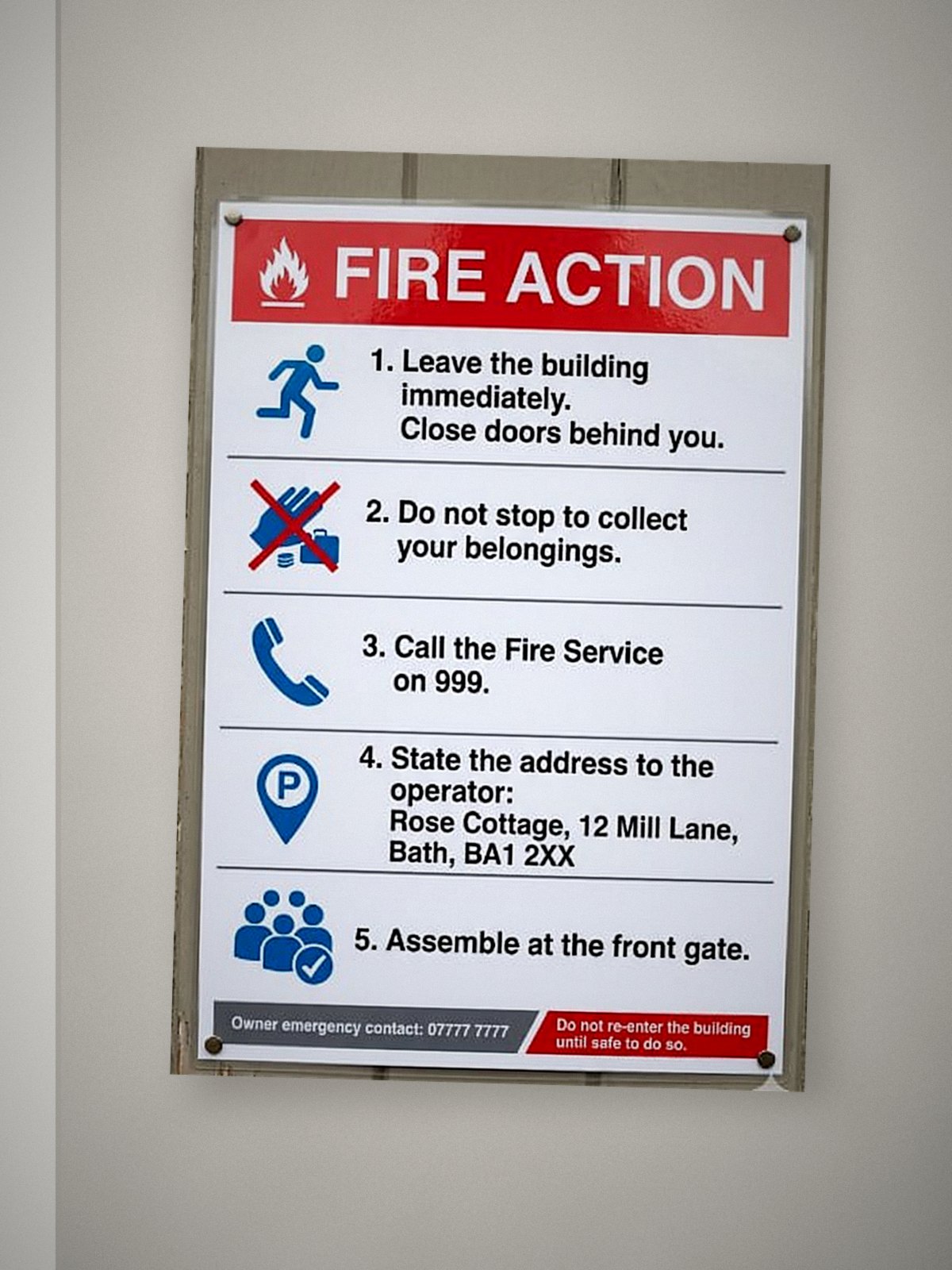
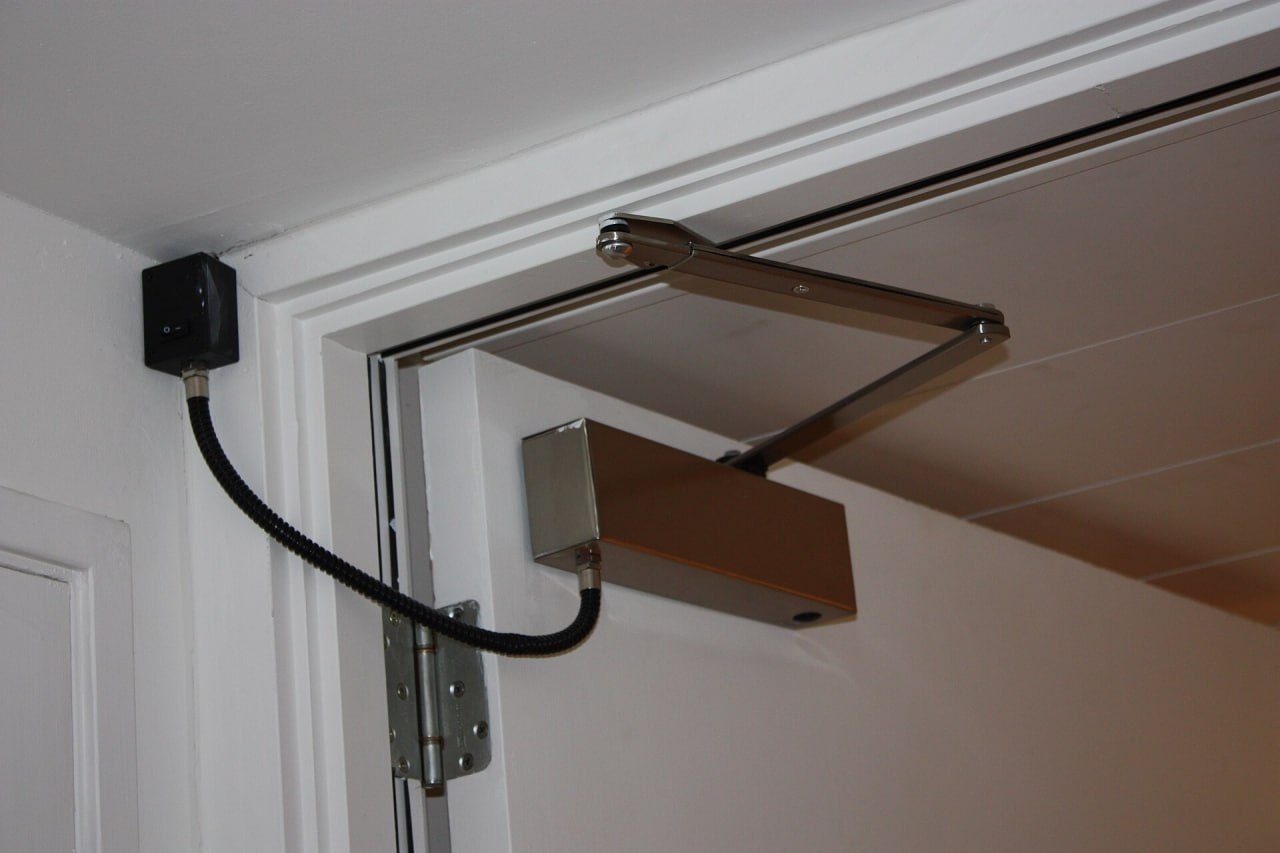
An animation of Fire Record at work. On the Site Walk app, an assessor records a walk round Kestrel Court, taking photos of the front of the building, the fire action notice and the staircase; each photo shows up in Fire Record on the computer as it arrives. On the stairs the checklist ticks off Fire Doors, 14 of 23 sections done. When the walk ends, Fire Record drafts the report in a few steps. The Signs and Notices section then shows what was said on the walk, the professional observation, and a priority 2 action with the photo of the notice. On Risk Summary the overall risk is set to Moderate (likelihood medium, consequence moderate), and Generate Summary writes the executive summary. The finished report is previewed: its cover, the executive summary, every section with its status (Sources of Fuel and Signs and Notices non-compliant, the rest compliant or not applicable), the action plan with its two actions, priority 2 and priority 3; it is downloaded as a PDF.

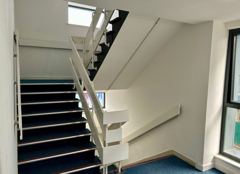
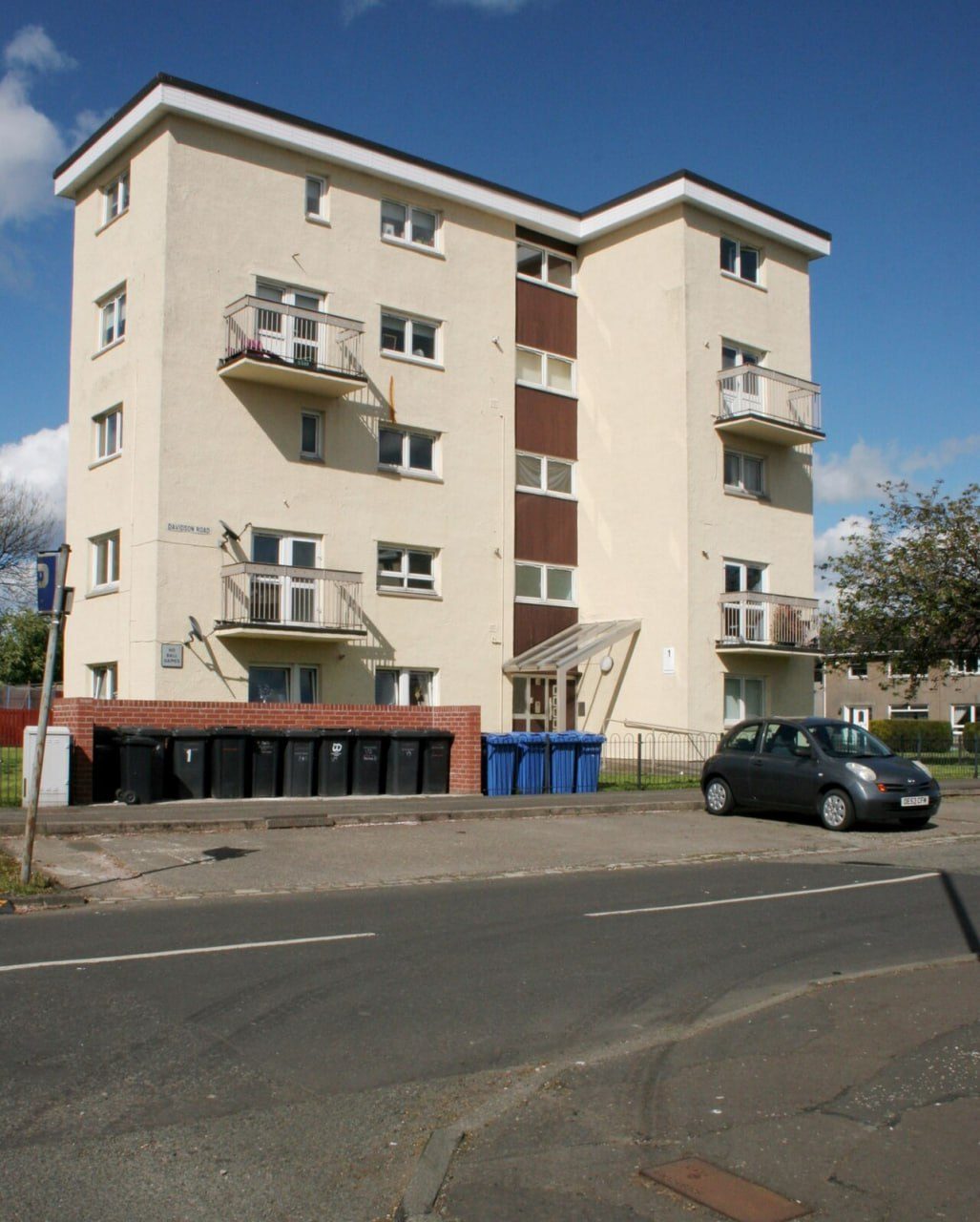
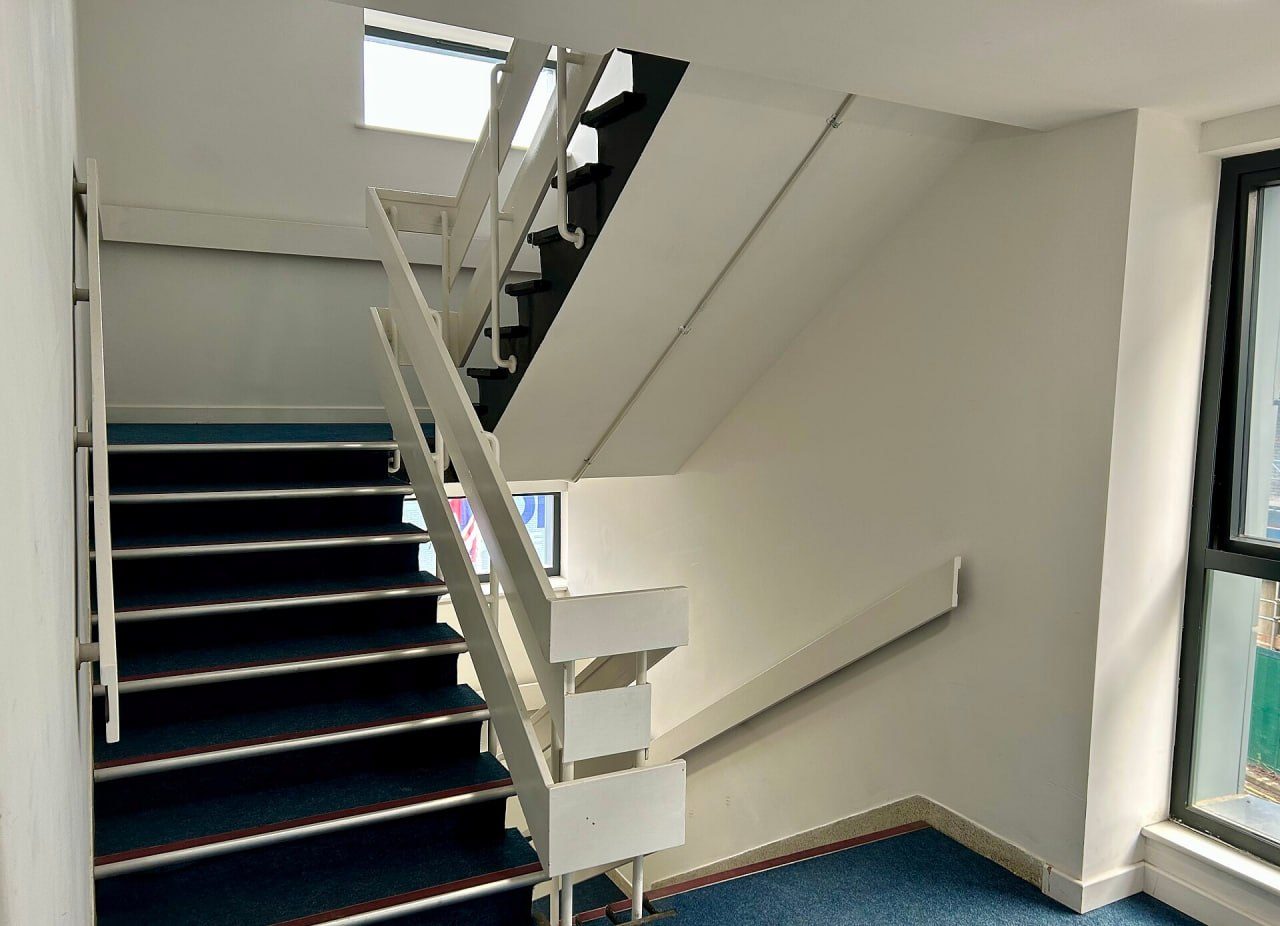
From the front door to a finished report.
-
Walk and talk
Record your walk on your phone. Talk and take photos as you go.
-
The report drafts itself
Your report is ready
Report FRA-202611-BOV968
- Turning the walk into text
- Reading your walk
- Placing the photos
- Writing the sections and answering the questions
- Saving it into the report
Every section, answer and action is written for you in a couple of minutes.
-
Review and approve
Report Preview & Download
Download PDF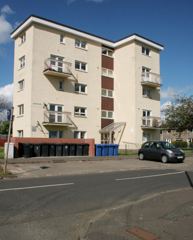
Kestrel Court
Davidson Road, Swindon
ModerateTake action within reasonable time2. Executive Summary
A fire risk assessment of Kestrel Court, Davidson Road, Swindon was carried out on behalf of Westbrook Property Management on 01/11/2026 in accordance with BS 9792:2025 and the Regulatory Reform (Fire Safety) Order 2005. This was a Type 1 assessment of the common parts only; the flats were not inspected. The premises is a purpose-built block of flats of ground plus four upper floors (five storeys), about 12 m high, of concrete frame construction, comprising 10 dwellings.
Check it, change anything, download the PDF.
Leave the building with every section covered.
As you talk, the checklist ticks off each section and answers its questions from what you say.
When you end the walk, Fire Record shows you what is still to cover, so you can deal with it before you leave.
Checklists follow BS 9792:2025 and PAS 79-1:2020.
Every line comes from what you said.
-
What you said
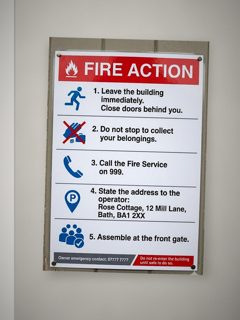
1:55 Said on the walk“The fire action notice in the lobby says leave the building immediately, which contradicts the stay put strategy.”
-
What Fire Record wrote
The fire action notice in the entrance lobby instructs occupants to leave the building immediately, contrary to the stay put strategy, and displays the address of a different property in Bath.
-
The action
P2 · 1–4 weeksThe responsible person should replace the lobby fire action notice with a stay-put notice showing the address of this building.
Press play next to any finding to hear the moment you said it. Anything you didn’t mention is left for you to assess.
A professional report, with your name and logo on it.
Reports follow BS 9792:2025 for housing and PAS 79-1:2020 for commercial buildings.
Make every report yours: your logo, your wording, your checklists and your report style, set up once and used every time.
BS 9792:2025
For housing
- Risk matrix and prioritised action plan built in
- Legal framework and assessor declaration
- Templates for each type of building: purpose-built and converted flats, HMOs, maisonettes, sheltered housing and single dwellings
PAS 79-1:2020
For commercial buildings
- Risk matrix and prioritised action plan built in
- Legal framework and assessor declaration
- Templates for each type of building: offices, retail, warehouses, industrial units, schools, care homes, hotels and restaurants
Fire Record also handles everything around the report.
-
Trail of Records
A reason for every exclusion, and every change logged.
-
Action Tracker
Follow each action to done, and share a tracker PDF.
-
Building record
Details and photos saved for next year’s review.
-
Works offline
Walks record with no signal and send later.
Easy to learn, and we’re always there.
If you can take a photo and talk, you can use Fire Record. If you get stuck, you speak to a real person. We pick up the phone, answer your questions and stay with you until it works the way you want.
Running a team of assessors?
Assign jobs to your team’s phones, follow walks as they happen, and review every report before it goes out.
Fire Record for firmsBAFE SP205 registered?
Validation checklists, audit trail and certificates, in the same place as your reports.
BAFE SP205Pay per report, or choose a plan.
Free to use. Pay £14 when you download a finished report, or choose a monthly plan from £59.
Try it on your next assessment.
Free to use. You only pay when you download a finished report.
Questions assessors ask.
Still have a question? Book a call
Is Fire Record compliant with BS 9792:2025 and PAS 79-1:2020?
Yes. Fire Record supports both standards, each with its own checklist and report format. Every report includes a prioritised action plan.
How does a site walk become a report?
You open the Site Walk app on your phone, then talk and take photos as you walk the building. When you end the walk, Fire Record drafts the full report in a couple of minutes, using only what you said. You review and approve everything before the report is issued.
Does Fire Record make anything up?
No. Fire Record drafts the report using only what you said on the walk. Next to each finding, you can press play to hear the moment you said it. If you didn’t talk about a section, it stays marked for you to assess. You can still change any section or wording, by typing or by voice, so you stay in control of the whole report.
Do I need a signal on site?
No. Walks record with no signal and upload when you’re back online. You only need a signal once, to sign in for the first time.
What if I forget a section?
While you walk, the checklist ticks off sections and answers questions from what you say. When you end the walk, it shows what is still to cover, so you can deal with it before you leave. A section you didn’t talk about stays marked for you to assess.
Is it hard to learn?
No. If you can take a photo and talk, you can use Fire Record. If you get stuck, message us in the app or book a call whenever you need, and you always deal with a real person.
Can my company’s logo go on the report?
Yes. Your logo and company details go on your reports through your report style. The number of report styles you can keep depends on your plan: 1 on Starter, 3 on Pro and as many as you like on Pro Plus.
How much does it cost?
Fire Record is free to use until you download a finished report. Pay as you go really is pay as you go. Each report costs £14, and there is no subscription, minimum volume or contract. Monthly plans are £59 for 5 reports (Starter), £99 for 10 (Pro) and £129 for unlimited reports (Pro Plus). Teams is £269 a month for 3 seats.
Is there a phone app?
Yes. The Site Walk app runs in your phone’s browser, and you can install it to your home screen today. App Store and Google Play versions are on the way.
Where is my data kept?
Your photos and recordings are stored with Amazon Web Services in London. For the full details, see our privacy policy.